Picture this: you book a lodge for a workation because the photos show misty mountains and a porch made for slow mornings. Then day one hits, and the Wi-Fi barely loads a spreadsheet, the only “desk” is a wobbly coffee table, and your video calls freeze every time it rains. A dream stay can turn into a stressful week fast.
The good news is that these problems are predictable, which means they are avoidable. This guide walks you through the questions that matter before you pay a deposit: why lodges work differently than hotels for remote stays, how to verify internet speed and backup connectivity, what a real workspace and power setup look like, how to pick a location that fits your schedule, when to book for the best rates, and how to match the lodge type to your work style. A short checklist at the end pulls it all together.
Why a Lodge for a Workation Works Differently Than a Hotel
A lodge for a workation is not just a hotel with a nicer view. Town hotels sit near fiber lines, cell towers, restaurants and taxi stands, so if something fails, you can usually walk downstairs and fix it. Lodges sit in remote nature, which is exactly why you chose them, and that remoteness means connectivity and logistics matter far more than they ever would in a city hotel. A weak signal thirty minutes from the nearest town is a much bigger problem than a weak signal above a café.
Length changes everything, too. A hotel stay is typically one or two nights where daily housekeeping, a minibar and a lobby desk carry you through. A lodge workation typically runs one to four weeks, so comfort, a proper workspace and kitchen access outweigh any daily services. You will be cooking some meals, doing laundry and sitting in the same chair for hours every day.
Why the hotel math stops working
Compare the two stays and the difference becomes obvious. In a hotel, you can outsource almost everything: meals to the restaurant, meetings to the business center, errands to the concierge. In a lodge, space and self-catering change the calculus entirely. You need room to spread out, a fridge and stove you can actually use, and enough comfort that week three feels as good as day one. Judge lodges on those terms, not on turndown service.
Check Internet Speed and Backup Connectivity First
Connectivity is the single most common reason lodge workations go wrong, so make it your first question, not an afterthought. Ask hosts for real speed test results, ideally a screenshot from the actual room or cabin you will book, not a claim about “fast Wi-Fi” in general. Aim for at least 25 Mbps down and 5 Mbps up, which is enough for stable video calls and file uploads. Anything less and you will be hunting for the one corner of the property with signal.
Just as important is what happens when the main connection fails, because in remote areas it will at some point. Ask specifically about backup options and how the connection behaves under load. A few questions worth putting in writing:
- Mobile hotspot or local SIM: ask whether the nearest cell coverage supports a data plan as a fallback, and which carriers work well in that exact spot, since coverage maps can be optimistic in valleys and forested areas.
- Second router or line: some lodges keep a spare router or a separate connection for guests; if the primary line drops, knowing there is a switch-over plan saves you a lost workday.
- Shared bandwidth: find out how many guests typically share the connection, and whether speeds drop during peak evening hours when everyone streams and video calls at once.
Get answers before you pay any deposit. A host who can send speed test screenshots and describe their backup setup is usually a host who has hosted remote workers before.
Evaluate the Workspace and Power Setup
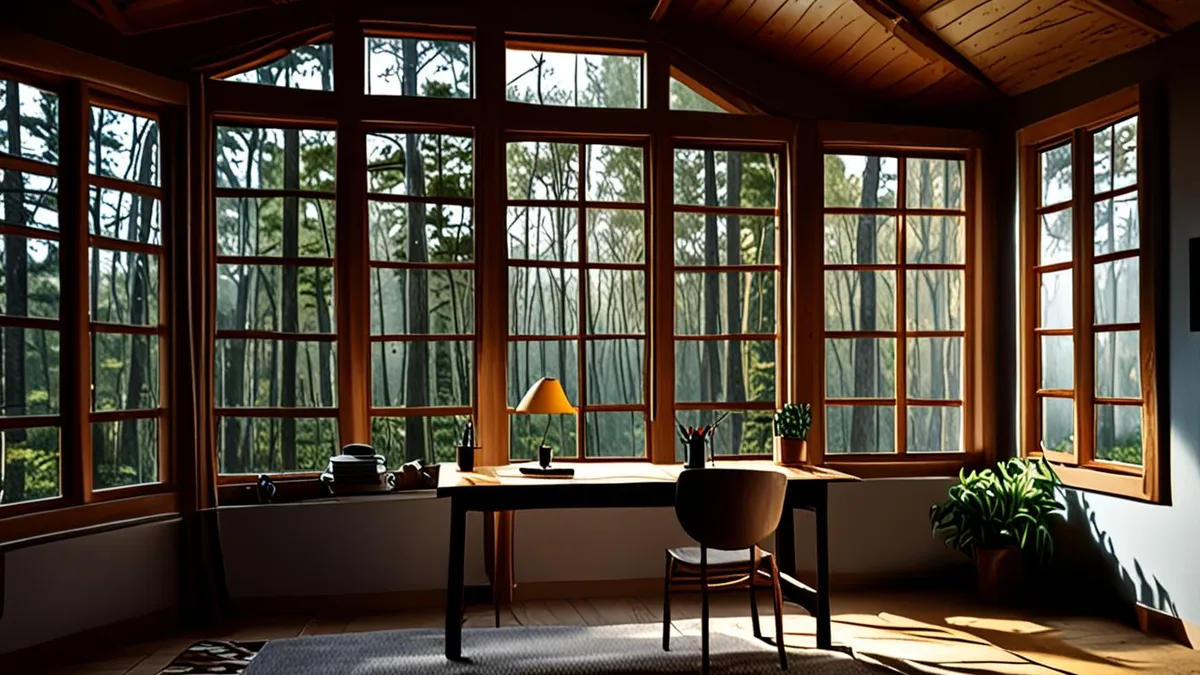
Once connectivity is settled, look hard at where you will actually sit for eight hours a day. Many lodge listings show a beautiful sofa and call it a workspace. Ask directly: is there a real desk and an ergonomic chair, or just a coffee table by the sofa? Working hunched over a low table for a week is a fast track to a sore back, and no amount of scenery fixes that.
Power is the second half of the equation. Remote lodges can experience power cuts, so ask how often they happen and whether the lodge has a generator or backup power that keeps outlets and Wi-Fi running. Then check the practical details: are there enough outlets near the desk for a laptop, a phone and maybe a second monitor, or will you be swapping plugs all day? A few specifics to confirm before booking:
- Outlet type and placement: ask for a photo of the desk area so you can see whether outlets are within cable reach, and whether you need a travel adapter or surge protector for your equipment.
- Backup power scope: a generator may keep lights and the kitchen running but not guest-room outlets, so confirm that Wi-Fi routers and desk outlets stay live during an outage.
- Common-area competition: plan for at least 8 hours of laptop work without fighting for shared outlets in the lounge or dining room, especially in high season when every guest has the same idea.
A lodge that answers these questions easily is one that takes remote workers seriously. One that hesitates is telling you something useful.
Pick a Location That Fits Your Schedule
A lodge can have the fastest internet in the region and a beautiful desk by the window, and it still won’t work for you if getting there eats an entire day of your trip. Unlike a town hotel you can reach after a quick taxi ride, lodges often sit at the end of winding mountain roads or long dirt tracks. Keep travel time from the nearest airport or town under 2-3 hours so your arrival day stays an arrival day, not a lost workday. The same logic applies to your departure, when you’ll want a relaxed morning before the drive rather than a pre-dawn start.
Daily logistics matter just as much. On a one-week hotel stay you might eat every meal out; on a three-week workation you’ll want to cook, restock snacks and grab medicine when you need it. Before booking, ask the host exactly how far the nearest grocery store, pharmacy and café are, and how long the drive actually takes in the season you’re visiting. A “nearby town” that’s 90 minutes away on a gravel road is not nearby.
Finally, think about your calendar, not just the map. Time zones quietly shape your whole stay, and a stunning location can turn into a string of late-night calls if your team works half a world away.
- Ask which days the nearest grocery store closes or delivers, since some rural towns have limited weekend hours and you’ll need to plan your shopping run around your work schedule.
- Check whether the road to the lodge is paved or gravel, and whether it’s drivable in the rainy season, because a 90-minute trip can double in wet conditions.
- If you have live calls, map your team’s working hours against local time before booking; a lodge six or more hours off your team’s zone can push meetings past 9 or 10 p.m.
- Confirm whether the lodge offers an airport or town transfer, since arranging your own transport in remote areas can be slow and expensive if you land at an awkward hour.
Choose the Right Season and Book at the Right Time
Timing is one of the biggest levers you have on both price and work conditions. Shoulder seasons, roughly May-June and September-October in most destinations, typically bring rates around 20-40% lower than peak season, along with fewer guests sharing the Wi-Fi and quieter common areas. For remote work, that second part matters as much as the price: a lodge at half capacity is far less likely to have bandwidth problems in the evening.
How far ahead to book
Lodges with genuine workspaces and strong connectivity are a small share of their inventory, and other remote workers notice them. For a peak-season stay, book 2-3 months ahead to secure a room with a desk and reliable internet rather than settling for whatever is left. For shoulder season, 4-6 weeks ahead is usually enough, though popular nature regions can fill earlier. If you want a deeper breakdown of how pricing shifts through the year, this guide to lodge seasons and booking prices covers the patterns in detail.
Negotiate for a longer stay
Because you’re staying one to four weeks anyway, always ask for a monthly rate. Long stays often come in 30-50% cheaper per night than the standard short-stay price, and hosts often prefer the guaranteed occupancy, especially in quieter months. Mention your exact dates and ask directly: “What’s your rate for three weeks in September?” A short email can save you hundreds over the length of a workation, and it costs you nothing to ask.
Match the Lodge Type and Setting to Your Work Style
The best lodge for a workation depends less on the view and more on how you actually work. Be honest about your style before you book, because a setting that energizes one remote worker can isolate another.
Match the setting to your working style
If you do deep, focused work, a remote mountain lodge with few distractions can be ideal: long quiet stretches, no colleagues stopping by your desk and evenings with nothing to do but rest. The tradeoff is isolation, so make sure you can genuinely handle limited social contact for weeks. If you’re a social remote worker, look instead for a lodge with lively common areas, a shared dining table or a location within walking distance of a small town. Casual conversations in a lodge lounge often replace the office interactions you left behind, and nearby cafés give you an alternative workspace when you need a change of scene.
Families and nature-heavy destinations
Working remotely with a family changes the room type you book entirely. Prioritize lodges with extra bedrooms or a separate living space so calls don’t compete with kids’ bedtimes, and ask specifically about safe outdoor space: a fenced garden or a calm area where children can play while you work within sight. A standard double room with a desk squeezed in the corner won’t cut it for a multi-week family stay.
Nature-rich destinations like New Zealand or Finland reward longer stays, since the landscapes deserve slow exploration on your days off. But they also demand stricter connectivity checks: remote regions there can rely on limited rural infrastructure, so ask for actual speed test results and backup options before paying any deposit. If New Zealand is on your list, this overview of the best New Zealand regions for nature lodge stays is a good starting point for choosing where to base yourself.
Your Workation Lodge Checklist in Brief
A lodge workation should give you calm and scenery without wrecking your workweek, and the difference comes down to checking the practical details before you commit. The most common disappointments are predictable: weak Wi-Fi, no real desk and dead zones that make video calls a gamble. Verify internet speeds and backup connectivity before paying any deposit, and confirm there is a proper desk, enough outlets and power backup for full workdays of at least 8 hours.
Then think timing and location. A shoulder-season stay keeps rates lower and common areas quieter, and choosing a lodge within 2-3 hours of an airport protects your arrival and departure days. Book 1-3 months ahead to secure the rooms that actually suit remote work. Get these basics right and the lodge becomes what you hoped for: a peaceful place where the work still gets done. If this helped you plan your own stay, leave a comment or share the article.